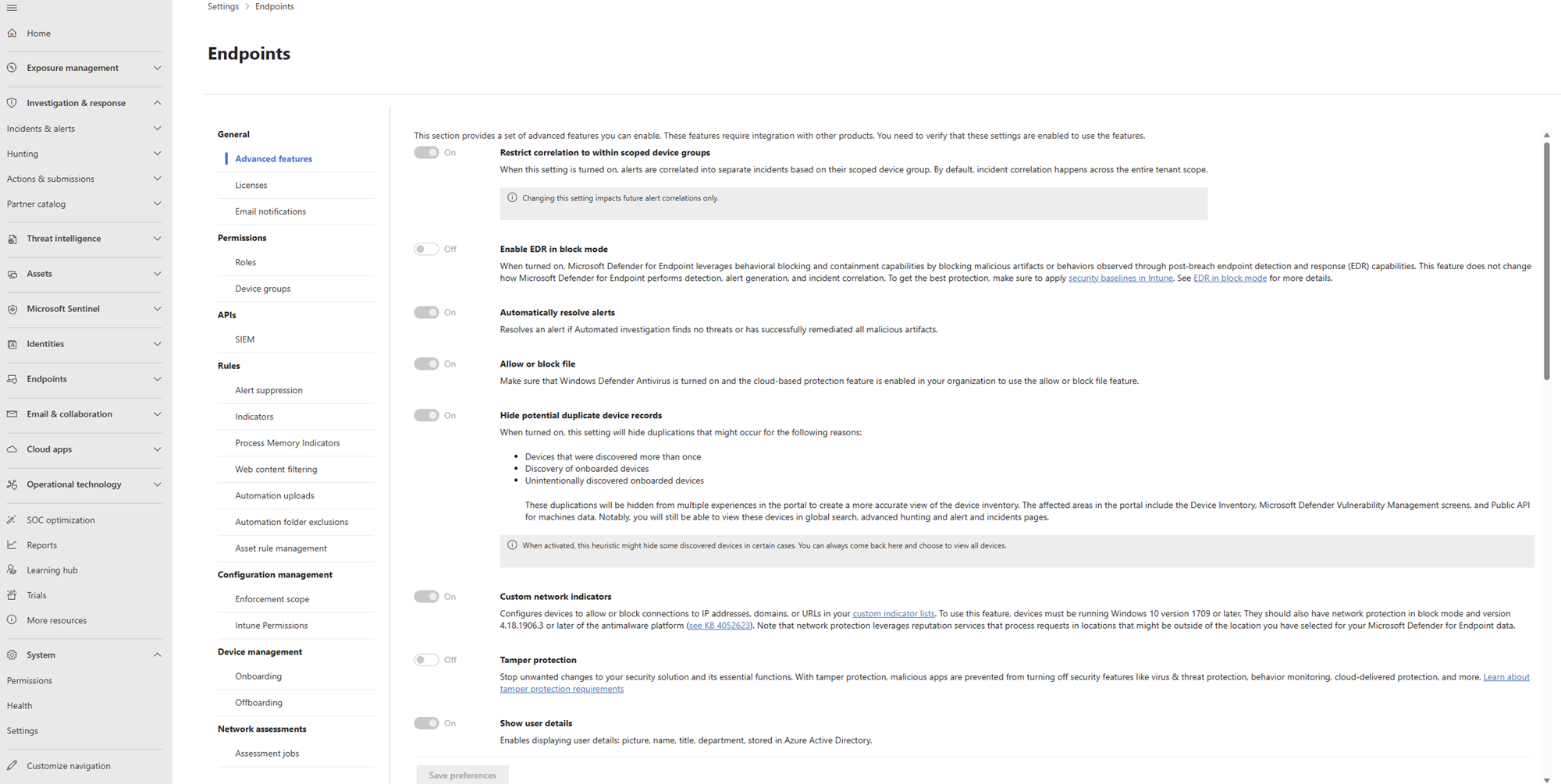
Security Management for Microsoft Defender for Endpoint

Security Management for Microsoft Defender for Endpoint

Microsoft Defender for Endpoint is a comprehensive security solution that helps protect your organisation’s devices from advanced threats. Effective security management is crucial to ensuring the optimal performance of this powerful tool.

Here are some key aspects of security management for Microsoft Defender for Endpoint:

  • Policy Configuration: Establishing and configuring security policies is essential to define how Defender for Endpoint protects your devices. Customising policies based on your organisation’s specific security requirements is vital.
  • Threat Detection and Response: Regularly monitoring and analysing threat detection alerts is important to identify and respond to potential security incidents promptly. Leveraging the capabilities of Defender for Endpoint in threat detection and response can help mitigate risks effectively.
  • Device Compliance: Ensuring that all devices within your network comply with security standards and policies is critical. Utilising the compliance features of Defender for Endpoint can help enforce device compliance and strengthen overall security posture.
  • Reporting and Analysis: Generating reports and conducting in-depth analysis of security data collected by Defender for Endpoint can provide valuable insights into the effectiveness of your security measures. Regular reporting enables you to make informed decisions regarding security improvements.
  • Integration with Security Tools: Integrating Microsoft Defender for Endpoint with other security tools and solutions can enhance overall threat visibility and response capabilities. Seamless integration allows you to leverage the strengths of multiple security technologies to better protect your environment.

In conclusion, effective security management plays a vital role in maximising the benefits of Microsoft Defender for Endpoint. By implementing robust policies, proactively monitoring threats, ensuring device compliance, analysing security data, and integrating with other tools, you can enhance the overall security posture of your organisation and safeguard against advanced cyber threats.


Comprehensive Guide to Security Management with Microsoft Defender for Endpoint: FAQs and Best Practices

  1. What is Microsoft Defender for Endpoint and how does it work?
  2. How do I configure security policies in Microsoft Defender for Endpoint?
  3. What are the key features of Microsoft Defender for Endpoint’s threat detection capabilities?
  4. How can I ensure device compliance using Microsoft Defender for Endpoint?
  5. What types of threats can Microsoft Defender for Endpoint protect against?
  6. How do I integrate Microsoft Defender for Endpoint with other security tools?
  7. What are the best practices for managing alerts and incidents in Microsoft Defender for Endpoint?
  8. How often should I review and update my security policies in Microsoft Defender for Endpoint?
  9. Can Microsoft Defender for Endpoint be used to secure both on-premises and cloud-based environments?

What is Microsoft Defender for Endpoint and how does it work?

Microsoft Defender for Endpoint is a sophisticated security solution designed to protect devices within an organisation from advanced threats. It works by leveraging endpoint behavioural sensors, cloud security analytics, threat intelligence, and machine learning capabilities to detect and respond to potential security risks in real-time. By continuously monitoring device activities, identifying suspicious behaviour, and providing actionable insights, Microsoft Defender for Endpoint helps organisations proactively defend against cyber threats and strengthen their overall security posture.

How do I configure security policies in Microsoft Defender for Endpoint?

Configuring security policies in Microsoft Defender for Endpoint is a fundamental step in optimising the protection of your organisation’s devices. To configure security policies effectively, navigate to the Microsoft Defender Security Centre and access the ‘Settings’ tab. From there, you can customise policies based on your specific security requirements, such as defining threat detection rules, setting up device compliance standards, and establishing response protocols for security incidents. By tailoring these policies to align with your organisation’s needs and risk tolerance levels, you can enhance the effectiveness of Microsoft Defender for Endpoint in safeguarding your devices against advanced threats.

What are the key features of Microsoft Defender for Endpoint’s threat detection capabilities?

When considering the key features of Microsoft Defender for Endpoint’s threat detection capabilities, it’s essential to highlight its advanced and proactive approach to identifying and mitigating security risks. The solution leverages cutting-edge technologies such as machine learning and behavioural analysis to detect suspicious activities and potential threats in real-time. With its comprehensive threat intelligence network, Defender for Endpoint can quickly identify known malware, zero-day exploits, and other sophisticated attacks. Additionally, the platform offers powerful remediation tools that enable swift response to security incidents, helping organisations effectively protect their devices and data from evolving cyber threats.

How can I ensure device compliance using Microsoft Defender for Endpoint?

To ensure device compliance using Microsoft Defender for Endpoint, you can leverage its robust features for establishing and enforcing security policies across your organisation’s devices. By configuring customised policies that align with your specific security requirements, you can define the rules and settings that devices must adhere to in order to remain compliant. Regularly monitoring device compliance status through the Defender for Endpoint dashboard allows you to identify any non-compliant devices promptly and take appropriate actions to remediate issues. Utilising the automated remediation capabilities of Defender for Endpoint can streamline the process of bringing non-compliant devices back into alignment with security standards, thus enhancing overall security posture and mitigating potential risks effectively.

What types of threats can Microsoft Defender for Endpoint protect against?

Microsoft Defender for Endpoint is designed to provide comprehensive protection against a wide range of cyber threats. This advanced security solution can safeguard your organisation’s devices from various types of threats, including malware, ransomware, phishing attacks, zero-day exploits, and other sophisticated cyber threats. By leveraging its robust threat detection capabilities and real-time protection features, Microsoft Defender for Endpoint helps defend against both known and emerging threats, ensuring a proactive defence posture to keep your devices secure.

How do I integrate Microsoft Defender for Endpoint with other security tools?

Integrating Microsoft Defender for Endpoint with other security tools is a common query among users seeking to enhance their overall security posture. The process of integration involves configuring Defender for Endpoint to work seamlessly with complementary security solutions, such as SIEM platforms or threat intelligence feeds. By establishing these connections, users can benefit from improved threat visibility, enhanced response capabilities, and a more comprehensive approach to cybersecurity. Leveraging the integration capabilities of Microsoft Defender for Endpoint allows organisations to create a unified defence strategy that maximises the strengths of each security tool, ultimately strengthening their overall security infrastructure.

What are the best practices for managing alerts and incidents in Microsoft Defender for Endpoint?

When it comes to managing alerts and incidents in Microsoft Defender for Endpoint, following best practices is essential to ensure a proactive and effective security approach. One key practice is to establish clear alert prioritisation criteria based on the severity and potential impact of each alert. Timely investigation and response to high-priority alerts can help mitigate risks swiftly. It is also important to regularly review and fine-tune alert configurations to reduce false positives and focus on genuine threats. Additionally, documenting incident response procedures, conducting regular training for security teams, and leveraging automation tools for incident management can streamline the handling of security incidents within the Defender for Endpoint environment. By adhering to these best practices, organisations can enhance their overall security posture and better protect against cyber threats.

How often should I review and update my security policies in Microsoft Defender for Endpoint?

Regular review and updating of security policies in Microsoft Defender for Endpoint is essential to maintain a strong security posture. It is recommended to review and update security policies at least quarterly or whenever there are significant changes in your organisation’s IT environment, such as new devices, applications, or user roles. By regularly revisiting and adjusting security policies, you can ensure that your defences align with the latest security threats and best practices, enhancing the overall effectiveness of Microsoft Defender for Endpoint in protecting your devices and data.

Can Microsoft Defender for Endpoint be used to secure both on-premises and cloud-based environments?

Microsoft Defender for Endpoint offers a versatile security solution that can be effectively used to secure both on-premises and cloud-based environments. With its comprehensive capabilities, Defender for Endpoint provides protection across various platforms, ensuring a consistent level of security for all endpoints. Whether your organisation operates on traditional on-premises infrastructure or utilises cloud services, Defender for Endpoint can be seamlessly integrated to safeguard your devices and data. Its adaptive security features enable efficient threat detection and response, making it a valuable asset in protecting hybrid environments against advanced cyber threats.