
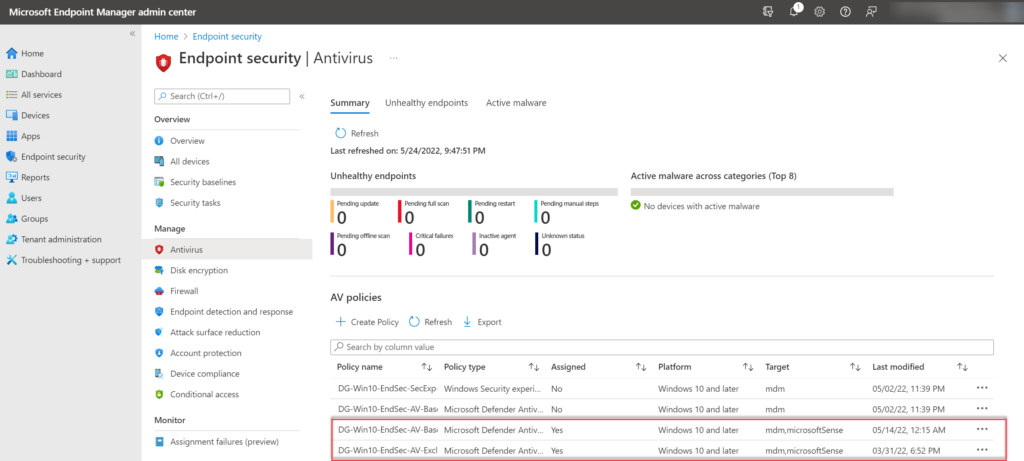
The Importance of MDM Antivirus
Mobile Device Management (MDM) antivirus software plays a crucial role in ensuring the security of mobile devices within an organization. With the increasing reliance on mobile devices for work-related tasks, the need for robust security measures has never been greater.
MDM antivirus software helps protect mobile devices, such as smartphones and tablets, from a wide range of threats, including malware, viruses, and phishing attacks. By implementing MDM antivirus solutions, organisations can safeguard sensitive data and prevent unauthorized access to corporate networks.
One of the key benefits of MDM antivirus is its ability to centrally manage and monitor the security of all mobile devices within an organization. This centralized approach allows IT administrators to deploy security updates, enforce policies, and track device activity across the entire network.
Furthermore, MDM antivirus software provides real-time threat detection and response capabilities, allowing organizations to quickly identify and mitigate security risks before they escalate. This proactive approach is essential in today’s fast-paced digital landscape where cyber threats are constantly evolving.
In addition to protecting against external threats, MDM antivirus software also helps address internal risks such as data breaches resulting from lost or stolen devices. By remotely wiping data from lost or stolen devices or enforcing encryption policies, organizations can prevent sensitive information from falling into the wrong hands.
Overall, MDM antivirus is a vital component of any comprehensive mobile security strategy. By investing in robust MDM antivirus solutions, organizations can ensure the integrity and confidentiality of their data while empowering employees to work securely from anywhere.
Top 6 Tips for Enhancing Security with MDM Antivirus Solutions
- Ensure your MDM antivirus software is up to date to protect against the latest threats.
- Regularly scan all devices managed by the MDM for any signs of malware or suspicious activity.
- Implement strong password policies on all devices to prevent unauthorised access.
- Enable remote lock and wipe features on the MDM to secure data in case of loss or theft.
- Educate users on best practices for mobile security, such as avoiding downloading apps from unknown sources.
- Monitor and review security logs provided by the MDM antivirus solution to stay informed about potential risks.
Ensure your MDM antivirus software is up to date to protect against the latest threats.
To safeguard your mobile devices effectively, it is essential to ensure that your MDM antivirus software is kept up to date. By regularly updating your MDM antivirus software, you can stay protected against the latest threats and vulnerabilities that cybercriminals may exploit. Updating the software allows you to benefit from the latest security patches, bug fixes, and threat intelligence updates, enhancing the overall security posture of your devices and network. Stay proactive in maintaining the currency of your MDM antivirus software to mitigate risks and maintain a robust defence against evolving cyber threats.
Regularly scan all devices managed by the MDM for any signs of malware or suspicious activity.
It is essential to regularly scan all devices managed by the MDM for any signs of malware or suspicious activity. By conducting routine scans, organisations can proactively detect and address potential security threats before they cause harm. This practice helps maintain the integrity of the devices and ensures that sensitive data remains protected from malicious actors. Regular scanning is a fundamental aspect of a robust MDM antivirus strategy, allowing IT administrators to identify and mitigate risks promptly, thereby enhancing overall cybersecurity posture.
Implement strong password policies on all devices to prevent unauthorised access.
Implementing strong password policies on all devices is a crucial tip when it comes to MDM antivirus security. By requiring employees to use complex and unique passwords, organisations can significantly reduce the risk of unauthorised access to sensitive data stored on mobile devices. Strong password policies help create an additional layer of protection, ensuring that only authorised users can access company resources. This simple yet effective measure plays a vital role in enhancing the overall security posture of an organisation’s mobile device management strategy.
Enable remote lock and wipe features on the MDM to secure data in case of loss or theft.
Enabling remote lock and wipe features on your Mobile Device Management (MDM) antivirus software is a crucial step in securing your data in the event of loss or theft. By activating these features, you can remotely lock your device to prevent unauthorized access and even wipe all data from it to protect sensitive information. This proactive measure ensures that even if your device falls into the wrong hands, your data remains secure, providing peace of mind in an increasingly mobile-driven world.
Educate users on best practices for mobile security, such as avoiding downloading apps from unknown sources.
It is essential to educate users on best practices for mobile security when implementing MDM antivirus solutions. One crucial tip is to advise users to avoid downloading apps from unknown sources. By sticking to trusted app stores and official sources, users can significantly reduce the risk of downloading malicious software that could compromise the security of their mobile devices. This simple yet effective practice can help bolster the overall security posture of an organisation’s mobile device fleet and minimise the potential for cybersecurity incidents.
Monitor and review security logs provided by the MDM antivirus solution to stay informed about potential risks.
Monitoring and reviewing security logs provided by the MDM antivirus solution is a crucial tip to stay informed about potential risks. By regularly checking these logs, organisations can proactively identify any suspicious activities or security breaches on mobile devices within their network. This proactive approach allows IT administrators to take immediate action to mitigate risks and strengthen the overall security posture of the organisation. Staying vigilant and responsive to security events logged by the MDM antivirus solution is essential in maintaining a secure mobile environment and safeguarding sensitive data from evolving cyber threats.