
Trusted VPN Apps: How to Choose One
A virtual private network (VPN) can help protect your internet traffic from people on the same public Wi-Fi network and make it harder for websites to link your browsing to your IP address. But a VPN provider handles your traffic instead of your internet service provider, so choosing an app is a matter of trust.
The best VPN for you depends on what you need it to do. Before subscribing, look beyond advertising claims and check how the provider protects your information, maintains its service and explains its limits.
What makes a VPN app trustworthy?
A clear privacy policy
Read the provider’s privacy policy and look for a straightforward explanation of what information it collects. Some data may be needed to manage an account or process payments, but the policy should clearly state whether browsing activity, connection timestamps or IP addresses are recorded, and how long any data is kept.
Be wary of broad promises such as “zero logs” if the provider does not explain what that means in practice. A privacy policy should also identify the company operating the service and explain how to contact it.
Independent checks
Security audits can provide useful evidence about an app’s code, infrastructure or privacy practices. Check who carried out the audit, what was examined and when it took place. An audit is a snapshot, not a permanent guarantee, so look for providers that publish results and arrange assessments regularly.
Modern security features
Look for support for well-established VPN protocols, such as WireGuard or OpenVPN, and features including a kill switch. A kill switch is designed to block internet access if the VPN connection unexpectedly drops. Some apps also offer protection against DNS leaks, multi-factor authentication for accounts and clear information about encryption.
Features vary between providers and devices. Check that the protections you want are included in the app you plan to use, rather than assuming every platform has identical settings.
Reliable apps and updates
Download VPN apps from the provider’s official website or a recognised app store. Check the developer name carefully, read recent reviews and look for a history of regular updates. Avoid apps that request permissions unrelated to their function or make unclear claims about collecting and sharing data.
VPN providers to research
Providers such as Proton VPN, Mullvad and IVPN are often considered by people prioritising privacy. They publish information about their services and security practices, but features, policies and ownership can change. Review each provider’s latest documentation and decide whether its approach suits your needs.
This is not a guarantee that any one service is right for everyone. Compare current privacy policies, independent assessments, supported devices, pricing and cancellation terms before signing up.
Are free VPN apps trustworthy?
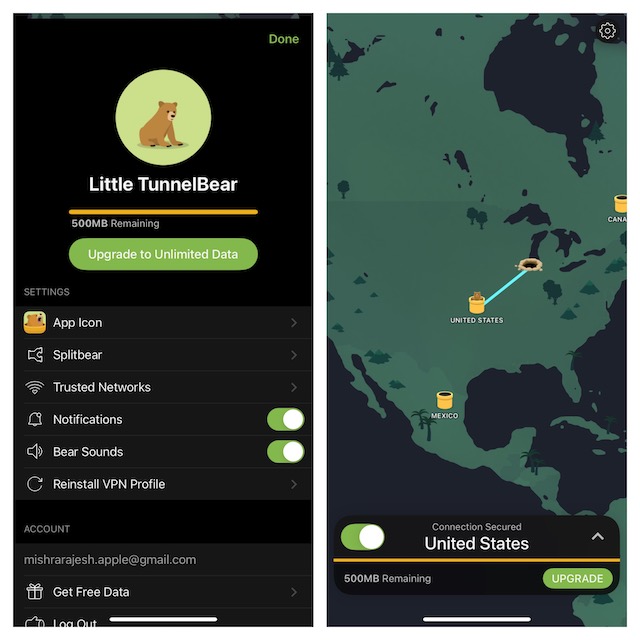
Some free VPNs are offered by established providers with clearly explained limits, such as a restricted data allowance or fewer server locations. Others may rely on advertising or collect more information than users expect. If an app is free, find out how its operator pays for the service and whether it shares data with third parties.
Avoid services that promise unlimited access without explaining their business model, display intrusive adverts or have no identifiable company or privacy policy. A low-cost paid plan from a transparent provider may be a better fit if you use a VPN regularly.
What a VPN can—and cannot—do
A VPN encrypts the connection between your device and the VPN server, helping to protect traffic on untrusted networks. It can also change the IP address websites see. It does not make you completely anonymous, protect you from every form of malware or prevent you from being tracked when you sign in to accounts.
Continue using unique passwords and multi-factor authentication, keep your devices updated and be cautious with links and downloads. A VPN is one part of online security, not a replacement for good security habits.
A simple checklist
- Does the provider explain what data it collects and why?
- Are independent security checks or audit summaries available?
- Does the app include the features you need, such as a kill switch?
- Is the company identifiable, with clear support and cancellation information?
- Can you download the app from an official source and see a record of updates?
- Do the price and renewal terms make sense for your use?
Choosing with confidence
A trusted VPN app should be transparent about its ownership, privacy practices, security features and limitations. Take time to compare the details rather than relying on “military-grade” or “complete anonymity” claims. The right choice is a provider whose current policies you understand and whose service meets your needs.
Top 9 Advantages of Trusted VPN Apps for Enhanced Online Privacy and Security
- Encrypts internet traffic on public Wi-Fi
- Helps hide your IP address from websites
- Offers clearer privacy policies
- May have independent security audits
- Can include a kill switch
- Supports secure VPN protocols
- Provides apps for multiple devices
- Receives regular security updates
- Can offer extra control over online privacy
Five Limitations of Trusted VPN Apps: What You Need to Know
- A VPN does not make you completely anonymous.
- Providers may collect some account or connection data.
- Free apps can rely on adverts or data sharing.
- VPN speeds may be slower, especially on distant servers.
- Privacy policies and security practices can change.
Encrypts internet traffic on public Wi-Fi
Trusted VPN apps encrypt the connection between your device and the VPN server, helping to shield your internet traffic from others on the same public Wi-Fi network. This can be especially useful when browsing in places such as cafés, hotels or airports, where you may not know who else is connected. Encryption adds a layer of protection, but it does not make you completely anonymous or replace other good security habits, such as using secure websites and keeping your device up to date.
Helps hide your IP address from websites
Trusted VPN apps help hide your IP address from the websites you visit by routing your internet traffic through a VPN server. Websites generally see the server’s IP address rather than the one assigned to your home or mobile connection. This can make it harder for sites to link your browsing to your approximate location or internet connection, although it does not make you completely anonymous—cookies, account log-ins and other tracking methods may still identify you.
Offers clearer privacy policies
Trusted VPN apps make it easier to understand how your information is handled by setting out their privacy policies in clear, specific language. They explain what data they collect, why they need it and how long they keep it, helping you judge whether the service respects your privacy before you sign up.
May have independent security audits
Some trusted VPN apps undergo independent security audits, in which external specialists assess aspects of the service such as its apps, systems or privacy practices. Published findings can offer useful insight into how the provider handles security and whether its claims have been examined. Audits are only a snapshot in time, however, so check when the review took place, what it covered and whether the provider has committed to regular assessments.
Can include a kill switch
A trusted VPN app may include a kill switch, which is designed to block your device’s internet access if the VPN connection suddenly drops. This can help prevent your traffic from switching to an unprotected connection without your knowledge, particularly when using public Wi-Fi. Check the app’s settings to see whether the feature is available and enabled, as its behaviour can vary between devices.
Supports secure VPN protocols
Trusted VPN apps support secure, well-established protocols such as WireGuard and OpenVPN to protect data travelling between your device and the VPN server. These protocols help encrypt your connection, making it harder for others to intercept your information, particularly when you’re using public Wi-Fi. A reputable app also explains which protocols it offers and lets you choose the option that best suits your needs.
Provides apps for multiple devices
A trusted VPN app often supports a range of devices, including computers, smartphones and tablets, so you can protect more of the technology you use every day. Many providers allow several devices to connect under one account, making it easier to keep your household’s browsing protected without managing separate subscriptions. Check which operating systems are supported and how many simultaneous connections are included before choosing a plan.
Receives regular security updates
Trusted VPN apps receive regular security updates to fix vulnerabilities, strengthen protection and keep pace with changing online threats. These updates can also improve app performance and compatibility with the latest operating systems and devices. Choosing a provider that maintains its software—and clearly communicates updates—helps ensure your VPN remains dependable over time.
Can offer extra control over online privacy
Trusted VPN apps can give you extra control over your online privacy by letting you choose when to route your internet connection through a VPN and which server location to use. This can help limit the visibility of your IP address to websites and protect your traffic on public Wi-Fi. A VPN does not make you anonymous or prevent all tracking, so it’s still important to review the app’s privacy settings and the provider’s data policy.
A VPN does not make you completely anonymous.
A trusted VPN app can help protect your internet traffic and hide your IP address from the websites you visit, but it does not make you completely anonymous online. Websites may still identify you through cookies, browser fingerprinting or accounts you sign in to, while the VPN provider may be able to see some connection information. A VPN is best treated as one layer of privacy protection, alongside careful browsing, strong account security and limiting the personal information you share.
Providers may collect some account or connection data.
Even trusted VPN providers may collect some account or connection data to manage your subscription, provide customer support, prevent fraud or maintain their service. The information collected varies between providers, so check the privacy policy to see what is recorded, how long it is retained and whether it is shared with third parties. A reputable provider should explain these practices clearly, but using a VPN does not necessarily mean that no data is collected.
Free apps can rely on adverts or data sharing.
Free VPN apps may need to generate income through advertising or by sharing certain user data with third parties. This can create a trade-off between saving money and protecting your privacy, so check the provider’s privacy policy carefully. Look for details on what information is collected, how it is used and whether it is shared or sold.
VPN speeds may be slower, especially on distant servers.
One drawback of using a VPN is that it can slow down your internet connection. Your data has to travel through an additional server, and the extra distance can increase latency and reduce speeds. This is often more noticeable when you connect to a server far from your location, which may affect activities such as streaming, gaming or video calls.
Privacy policies and security practices can change.
Even a trusted VPN app may change its privacy policy, ownership or security practices over time. A provider that once collected little data could introduce new forms of tracking or alter how information is shared, while changes to its software or infrastructure may affect security. Check for policy updates and independent security assessments periodically, and review the provider’s latest terms rather than relying on its past reputation.