
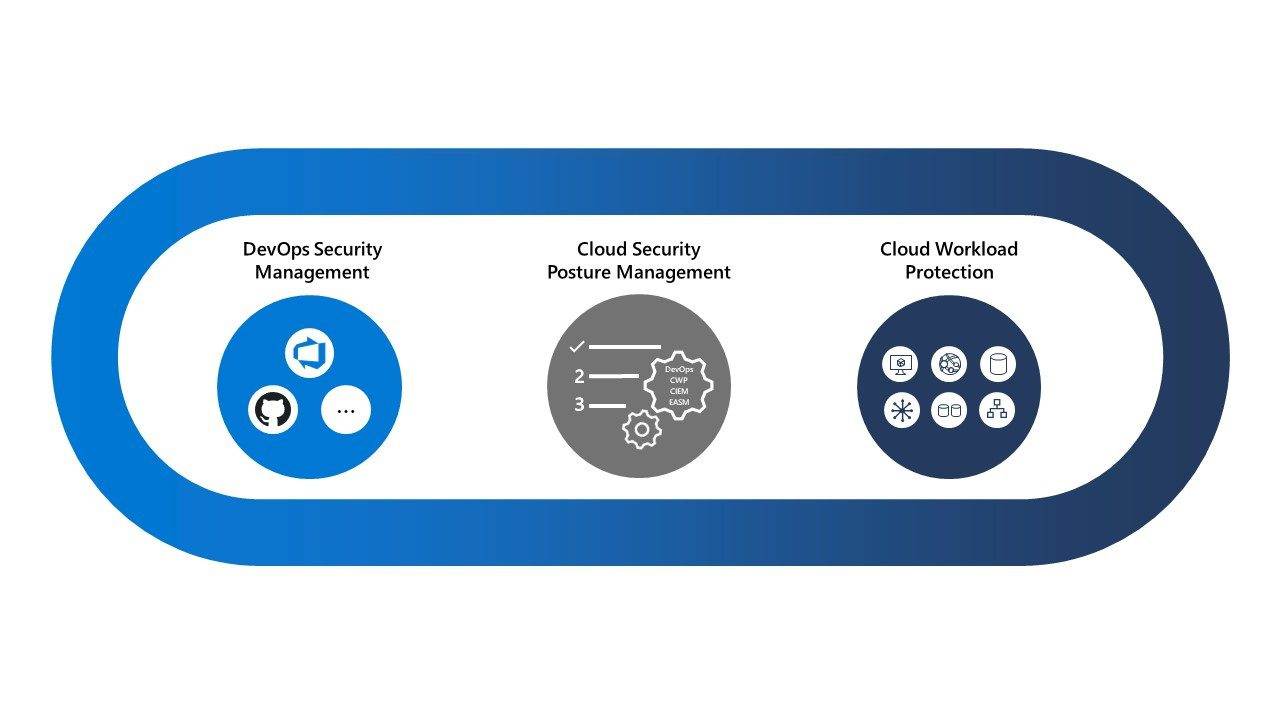
Azure Cloud Security Posture Management: A Practical Guide
Microsoft Azure gives organisations the flexibility to build and scale applications quickly. But as cloud environments grow, it can become difficult to keep track of configurations, permissions and potential security weaknesses. Azure cloud security posture management (CSPM) helps organisations identify and reduce these risks before they lead to a security incident.
What is cloud security posture management?
Cloud security posture management is the ongoing process of assessing cloud resources against security policies and best practices. CSPM tools help find issues such as publicly exposed services, weak access controls, unencrypted data and missing security updates. They can also help teams prioritise findings and monitor whether security requirements continue to be met.
In Azure, Microsoft Defender for Cloud provides security posture management capabilities alongside threat protection features. Azure Policy can also be used to assess and enforce organisational rules across subscriptions and resources. Available features depend on the services, plans and configuration in use.
Why Azure security posture management matters
Cloud security is a shared responsibility. Microsoft secures the underlying Azure infrastructure, while customers remain responsible for many aspects of their own environments. These responsibilities vary depending on the service: managing a virtual machine generally involves more customer security work than using a fully managed service.
Misconfigurations are a common source of cloud risk. A storage account with overly broad access, an internet-facing virtual machine with an unnecessary open port, or an account with excessive permissions can increase the chances of data exposure or unauthorised access. CSPM helps teams spot these conditions across many resources, rather than relying solely on manual checks.
Key elements of Azure CSPM
Continuous assessment
Assess resources regularly against security recommendations and internal requirements. Continuous assessment can help reveal changes that introduce risk, such as a newly exposed endpoint or a resource created outside approved standards.
Security recommendations and prioritisation
Defender for Cloud can present recommendations for improving the security of an environment. Teams should assess these in context: a finding’s priority depends on factors such as the sensitivity of the affected resource, its exposure and the organisation’s business requirements. A score or recommendation is a useful guide, not a substitute for risk-based judgement.
Policy and compliance
Azure Policy can help define and apply rules across management groups, subscriptions and resources. Policies may audit configurations, prevent certain deployments or support remediation. Used carefully, they can make secure defaults more consistent and help demonstrate alignment with organisational or regulatory requirements.
Identity and access controls
Identity is central to cloud security. Review role assignments and remove permissions that are no longer needed. Apply least privilege, use multifactor authentication, and consider privileged identity management for administrative roles. Microsoft Entra ID provides identity and access capabilities for Azure environments.
Network and data protection
Review network security groups, firewalls, public endpoints and private connectivity. Restrict access to services where possible, and encrypt sensitive data at rest and in transit. Keep secrets and credentials out of source code, and manage them using appropriate services such as Azure Key Vault.
How to build an Azure CSPM programme
- Establish visibility. Inventory subscriptions, resource groups and cloud assets. Confirm that the right subscriptions and environments are included in security monitoring.
- Set a baseline. Define minimum security requirements for identity, networking, data protection, logging and resource configuration.
- Prioritise the highest risks. Start with exposed resources, sensitive data, privileged access and weaknesses that could enable wider compromise.
- Assign ownership. Make sure each recommendation has a team or individual responsible for investigation and remediation.
- Automate appropriate controls. Use Azure Policy and deployment templates to apply approved configurations. Test policies before enforcing them broadly to avoid disrupting legitimate workloads.
- Monitor and review. Reassess the environment regularly, investigate changes and update policies as systems and business needs evolve.
Common challenges to avoid
Large volumes of alerts can make it difficult to distinguish urgent risks from lower-priority issues. Focus on the potential impact and exploitability of each finding, and group related work where possible. Avoid enabling enforcement without testing, as restrictive policies may affect applications that depend on existing configurations.
Another common challenge is treating compliance as the same thing as security. Compliance frameworks provide useful control requirements, but passing an assessment does not guarantee that an environment is secure. Combine policy checks with threat monitoring, incident response planning and regular review of access and architecture.
Azure CSPM and threat detection
CSPM focuses primarily on the security configuration and posture of cloud resources. It complements, rather than replaces, threat detection and response. Microsoft Defender for Cloud includes capabilities beyond posture management, while Microsoft Sentinel can help collect and analyse security events across an organisation. The right combination depends on the environment and the organisation’s monitoring requirements.
Conclusion
Azure cloud security posture management helps organisations understand how their cloud resources are configured, identify weaknesses and improve security over time. A successful approach combines continuous assessment with clear policies, least-privilege access, sensible prioritisation and accountable remediation. By making these practices part of everyday cloud operations, organisations can reduce avoidable risk while continuing to use Azure with confidence.
Top 5 FAQs on Azure Cloud Security Posture Management: Understanding CSPM, Key Design Principles, Subscription Availability, Azure Security Features, and AWS Comparisons
- What does CSPM stand for and what does it do?
- What are the key principles of cloud security design?
- Is cloud security posture management available for all Azure subscription?
- What are the security features available in Azure?
- Which AWS service is a cloud security posture management CSPM service?
What does CSPM stand for and what does it do?
CSPM stands for cloud security posture management. It refers to tools and practices that continuously assess cloud environments, such as Microsoft Azure, for security risks and misconfigurations. CSPM can highlight issues such as overly permissive access, exposed resources or missing security controls, helping teams prioritise and fix weaknesses before they lead to a breach.
What are the key principles of cloud security design?
The key principles of cloud security design are to apply security from the outset, use a defence-in-depth approach and grant users and services only the access they need. Protect data through appropriate encryption and secure key management, segment networks to limit unnecessary connections, and use secure configurations as the default. Continuous monitoring, logging, regular testing and timely updates help detect and address emerging risks, while resilient backups and a well-practised incident response plan support recovery. In Azure, these principles can be reinforced with tools such as Microsoft Defender for Cloud and Azure Policy, alongside clear ownership of security responsibilities.
Is cloud security posture management available for all Azure subscription?
Cloud security posture management capabilities are available across Azure subscriptions, but the features and level of protection can vary depending on the services and Microsoft Defender for Cloud plan enabled. Basic security posture recommendations may be available without a paid plan, while more advanced capabilities can require activation of a Defender plan and may incur charges. Check the current Microsoft Defender for Cloud pricing and feature documentation for your subscription before enabling paid services.
What are the security features available in Azure?
Azure offers a range of security features to help protect identities, data, applications and infrastructure. These include Microsoft Entra ID for identity and access management, role-based access control, multifactor authentication, network security groups and Azure Firewall for controlling network traffic, and encryption and Azure Key Vault for protecting data and secrets. Microsoft Defender for Cloud can help assess security posture, highlight configuration risks and provide threat protection recommendations, while Azure Policy helps audit or enforce organisational standards. Available features vary by service and configuration, so they should be selected to suit your environment and used alongside regular monitoring, updates and a clear security plan.
Which AWS service is a cloud security posture management CSPM service?
AWS Security Hub CSPM is Amazon Web Services’ cloud security posture management service. It continuously assesses AWS accounts and resources against security best practices and supported standards, such as AWS Foundational Security Best Practices, and highlights configuration issues and other security findings. It can also consolidate findings from supported AWS security services, helping teams review and prioritise risks in one place.