
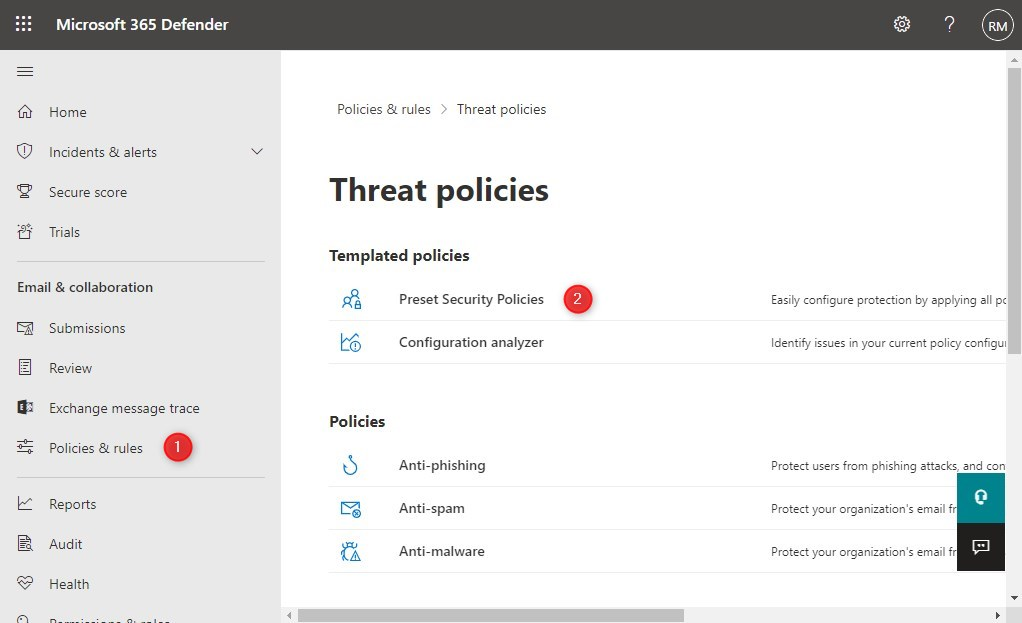
Exploring the Benefits of Microsoft Exchange Online Protection
Microsoft Exchange Online Protection (EOP) is a cloud-based email filtering service that helps protect your organisation against spam, malware, and other threats. It provides a layer of protection for your email infrastructure and helps safeguard your data and communication channels.
One of the key benefits of using Microsoft EOP is its advanced threat protection capabilities. It uses multiple layers of filtering to detect and block known and emerging threats in real-time. This includes blocking malicious attachments, links to phishing sites, and suspicious content before it reaches your inbox.
Another advantage of Microsoft EOP is its ease of deployment and management. As a cloud-based service, it can be quickly set up without the need for additional hardware or software installation. This makes it a cost-effective solution for organisations looking to enhance their email security without significant upfront investments.
Furthermore, Microsoft EOP integrates seamlessly with Microsoft Exchange Online and other Office 365 services, providing a comprehensive security solution for your organisation’s communication platform. It offers granular control over filtering policies, allowing you to customise settings based on your specific security requirements.
In addition to protecting against external threats, Microsoft EOP also helps prevent data loss by providing outbound filtering capabilities. This ensures that sensitive information does not leave your organisation via email unintentionally.
In conclusion, Microsoft Exchange Online Protection offers a robust and reliable solution for enhancing the security of your organisation’s email communication. With its advanced threat protection features, ease of deployment, and seamless integration with Office 365 services, it is an essential tool for safeguarding your data and maintaining a secure communication environment.
7 Essential Tips for Optimising Microsoft Exchange Online Protection Security
- Enable multi-factor authentication for enhanced security.
- Regularly review and adjust spam filtering settings to improve accuracy.
- Train users on how to recognize phishing emails and suspicious attachments.
- Utilize email encryption features to protect sensitive information.
- Set up custom policies for specific email protection requirements.
- Monitor message trace logs for any unusual activity or threats.
- Frequently update Exchange Online Protection to ensure the latest security patches are applied.
Enable multi-factor authentication for enhanced security.
Enabling multi-factor authentication (MFA) for Microsoft Exchange Online Protection is a highly recommended tip to enhance security measures. By requiring users to provide multiple forms of verification before accessing their accounts, such as a password and a unique code sent to their mobile device, MFA significantly reduces the risk of unauthorised access and strengthens overall protection against cyber threats. Implementing MFA adds an extra layer of security that can help safeguard sensitive data and ensure that only authorised individuals can access email accounts, making it an essential practice for maintaining a secure email environment.
Regularly review and adjust spam filtering settings to improve accuracy.
Regularly reviewing and adjusting spam filtering settings is a crucial tip for maximising the effectiveness of Microsoft Exchange Online Protection. By fine-tuning these settings, organisations can enhance the accuracy of spam detection and reduce the likelihood of false positives or missed threats. Keeping a proactive approach to monitoring and adjusting spam filtering parameters ensures that the email security measures remain aligned with evolving threats and organisational needs, ultimately strengthening the overall protection provided by Microsoft Exchange Online Protection.
Train users on how to recognize phishing emails and suspicious attachments.
To enhance the effectiveness of Microsoft Exchange Online Protection, it is crucial to train users on how to recognise phishing emails and suspicious attachments. Educating employees on the tell-tale signs of phishing scams, such as unfamiliar senders, urgent requests for personal information, and suspicious links or attachments, can significantly reduce the risk of falling victim to cyber threats. By empowering users with the knowledge to identify and report potential security risks, organisations can strengthen their overall email security posture and mitigate the impact of malicious attacks.
Utilize email encryption features to protect sensitive information.
To enhance the security of your email communication on Microsoft Exchange Online Protection, it is advisable to utilise the email encryption features available. By encrypting sensitive information in your emails, you can ensure that only authorised recipients can access and decipher the content, safeguarding it from potential threats and unauthorised access. This additional layer of protection helps maintain the confidentiality and integrity of your data, providing peace of mind when sharing sensitive information via email.
Set up custom policies for specific email protection requirements.
Setting up custom policies for specific email protection requirements in Microsoft Exchange Online Protection is a highly effective strategy to enhance your organisation’s security posture. By tailoring filtering rules and settings to address unique threats or compliance needs, you can ensure a more targeted and robust defence against malicious emails. Custom policies allow you to fine-tune protection levels, control message handling based on sender reputation or content, and implement additional layers of security where necessary. This flexibility empowers you to proactively mitigate risks and safeguard sensitive information, making your email environment more resilient and secure.
Monitor message trace logs for any unusual activity or threats.
To enhance the security of your email communication with Microsoft Exchange Online Protection, it is recommended to monitor message trace logs regularly for any signs of unusual activity or potential threats. By reviewing these logs, you can identify and address any suspicious behaviour, such as unexpected email patterns or delivery to unusual recipients. Keeping a close eye on message trace logs allows you to proactively detect and mitigate security risks, ensuring that your organisation’s data and communication channels remain protected from potential threats.
Frequently update Exchange Online Protection to ensure the latest security patches are applied.
It is crucial to frequently update Microsoft Exchange Online Protection to ensure that the latest security patches are applied. By staying up-to-date with updates, you can enhance the effectiveness of your email filtering service and strengthen your organisation’s defence against evolving cyber threats. Regular updates help to address vulnerabilities and patch any loopholes that malicious actors may exploit, thus bolstering the overall security posture of your email infrastructure. Keeping Exchange Online Protection updated is a proactive measure that can significantly reduce the risk of security breaches and ensure that your communication channels remain secure and protected.