
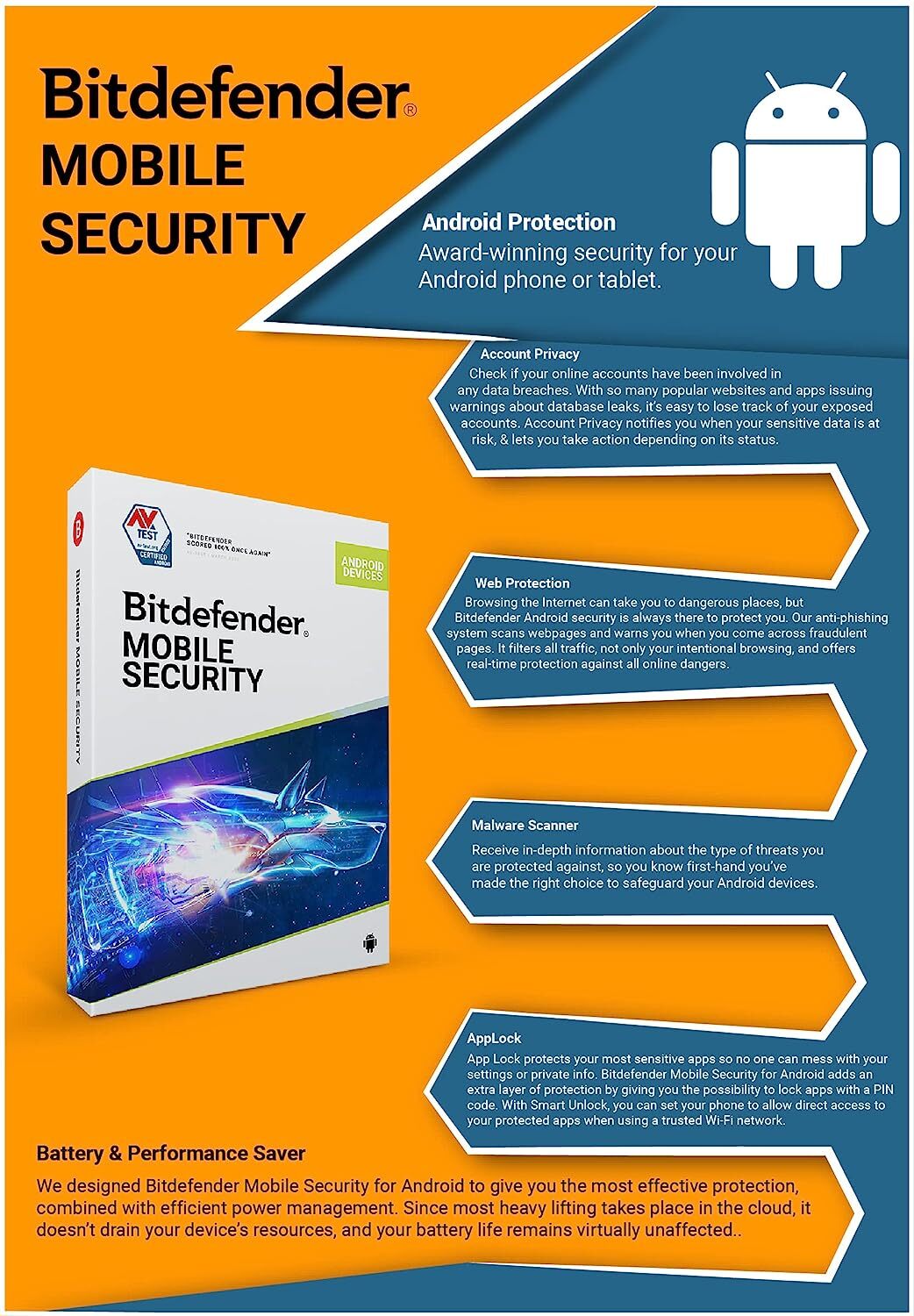
Bitdefender Mobile Security & Antivirus: A Guide for Phone and Tablet Users
Smartphones hold a great deal of personal information, from email and photos to banking apps and shopping accounts. Bitdefender Mobile Security is designed to help protect mobile devices from online threats and risky activity. The features available depend on whether you use Android or iOS, and may also vary by subscription and app version.
What is Bitdefender Mobile Security?
Bitdefender Mobile Security is a mobile security app from Bitdefender. It offers tools intended to help users browse more safely, identify suspicious activity and, on supported Android devices, check for malicious apps. It is not a guarantee against every threat, so it works best alongside sensible security habits and up-to-date software.
Features to know about
Protection for Android
On Android, the app can scan installed apps for threats and provide security alerts. Depending on the version and settings, it may also offer web protection, account-related checks and tools to help locate a lost device. Android features can differ between devices because manufacturers and operating-system versions handle permissions and security settings in different ways.
Protection for iPhone and iPad
iOS handles apps differently from Android, so antivirus apps cannot scan an iPhone in the same way they can scan an Android device. Bitdefender’s iOS app focuses on features such as protection from dangerous websites and scam-related alerts, where available. Check the app listing and subscription details for the features currently offered in your region.
Web and scam protection
Mobile security tools can help warn you about certain unsafe links or suspicious messages. These protections are useful, but they may not identify every scam. Be cautious with unexpected messages, check website addresses before entering personal details, and contact organisations using official contact information if a message asks you to act urgently.
How to get started
- Download the official Bitdefender app from the Google Play Store or Apple App Store.
- Check the publisher details to make sure you are installing the genuine app.
- Follow the in-app setup instructions and review the permissions being requested.
- Turn on the protections you want to use, such as web protection or security alerts.
- Keep the app and your device’s operating system up to date.
Avoid downloading security apps from unfamiliar websites or links sent in unsolicited messages. If you already have a Bitdefender subscription, sign in using the account associated with it and check which devices are covered.
Is Bitdefender Mobile Security right for you?
It may suit people who want security features from a recognised provider in a mobile app, particularly Android users looking for app scanning and web protection. iPhone and iPad users should remember that iOS security apps have different capabilities from Android antivirus apps. Before buying, compare the features, supported devices, subscription terms and renewal price with your needs.
Good security habits still matter
- Install apps from official app stores and review their permissions.
- Use a strong screen lock and enable multi-factor authentication on important accounts.
- Install operating-system and app updates promptly.
- Be wary of unexpected attachments, payment requests and links.
- Back up important information regularly.
Frequently asked questions
Does Bitdefender Mobile Security work on both Android and iOS?
Bitdefender offers mobile security apps for Android and iOS, but their features differ. Check the relevant app-store listing for device compatibility and current functionality.
Does an iPhone need antivirus software?
iPhones use Apple’s app security model, which limits the kind of system-wide virus scanning available to security apps. Mobile security apps can still offer other useful tools, such as protection against unsafe websites or scam alerts. Keeping iOS up to date and taking care with links and downloads remain important.
Will the app protect against every online threat?
No security app can guarantee complete protection. Use it as one part of a broader approach that includes software updates, strong passwords, careful browsing and regular backups.
In summary
Bitdefender Mobile Security provides a range of mobile security features, with the exact tools depending on your device, app version and subscription. Review the available features before installing or purchasing, use the official app store, and combine security software with good everyday habits to help keep your phone and personal information safer.
5 Tips for Staying Secure with Bitdefender Mobile Security & Antivirus
- Keep Bitdefender and your phone’s operating system up to date.
- Enable Web Protection to help block risky websites.
- Run a security scan if you suspect an app is unsafe.
- Review app permissions and remove access that isn’t needed.
- Use Bitdefender’s account tools to check your device’s security status.
Keep Bitdefender and your phone’s operating system up to date.
Keep Bitdefender Mobile Security and your phone’s operating system up to date to benefit from the latest security improvements, bug fixes and protection against newly discovered threats. Turn on automatic updates where possible, or check the app store and your device settings regularly. Updates help strengthen your protection, but they should be used alongside good security habits, such as avoiding suspicious links and installing apps only from trusted sources.
Enable Web Protection to help block risky websites.
Enable Web Protection in Bitdefender Mobile Security to help identify and block access to websites known to be unsafe, reducing the risk of phishing and other online scams. Make sure the feature is switched on and grant any permissions the app requests, as these may be needed for it to work. Web Protection can’t catch every threat, so check website addresses carefully and avoid entering personal or payment details on pages you don’t trust.
Run a security scan if you suspect an app is unsafe.
If you suspect an app may be unsafe, run a security scan with Bitdefender Mobile Security as soon as possible. On Android, the scan can check installed apps for potential threats and alert you if it finds anything suspicious; follow the app’s recommended steps to remove or address the issue. If you use an iPhone or iPad, available checks may differ because iOS limits system-wide app scanning. In either case, avoid opening the app or entering sensitive information until you have checked it, and keep Bitdefender and your device’s software up to date.
Review app permissions and remove access that isn’t needed.
Review the permissions granted to apps on your phone and remove access they don’t need. For example, a simple utility may not require access to your contacts, microphone or location. Bitdefender Mobile Security can help you stay alert to mobile security risks, but checking permissions in your device settings is also important. Limiting unnecessary access helps protect your privacy and reduces the amount of personal information apps can collect.
Use Bitdefender’s account tools to check your device’s security status.
Use Bitdefender’s account tools to check your device’s security status and see whether any recommended actions need your attention. Depending on your device and subscription, you may be able to review protection features, alerts or account settings in the Bitdefender app or online account. Check these regularly, keep the app and your operating system up to date, and follow guidance only through official Bitdefender channels.