
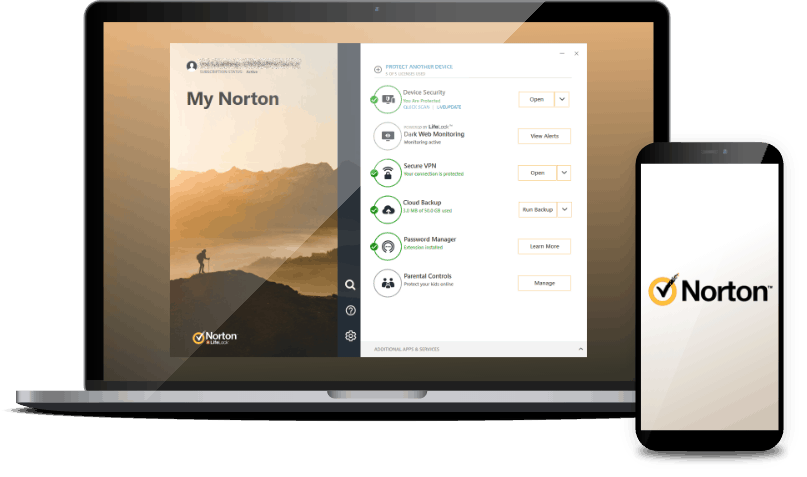
Norton VPN for Linux: what you need to know
Linux users looking for a VPN may wonder whether they can install Norton VPN on their computer. Norton Secure VPN is available for several common platforms, but Norton does not currently provide an official native Linux application. That means there is no supported Norton VPN client to download and install directly on most Linux distributions.
Does Norton VPN work on Linux?
Norton’s VPN apps are designed for supported devices such as Windows PCs, Macs, Android devices and iPhones or iPads. Linux is not listed as a supported desktop platform, so features such as connecting to a VPN server, choosing a location and managing settings are not available through an official Linux app.
Support can change, so check Norton’s official product and support pages for the latest compatibility information before subscribing or trying to set up a device.
Can Norton VPN be set up manually?
Some VPN providers let customers connect from Linux using standard protocols and configuration files. Norton’s consumer VPN does not generally provide the manual Linux connection details needed for a typical command-line or network-manager setup. As a result, installing a generic VPN client on Linux will not, by itself, make it possible to connect to Norton’s service.
Likewise, a VPN configured on a router only works if the router and VPN provider support a compatible connection method. Check Norton’s documentation and your router’s specifications rather than assuming that a router setup will work.
What are the options for Linux users?
- Choose a VPN with a Linux app. Look for a provider that explicitly supports your distribution and offers clear installation instructions, security details and customer support.
- Check for command-line support. Some services provide Linux packages or documented terminal-based setup. Confirm which protocols and distributions are supported.
- Consider a compatible router setup. This may protect devices connected through the router, but only when the router and VPN service support the same configuration method.
Before choosing a service, check its privacy policy, available server locations, connection limits, renewal price and cancellation terms. It is also worth confirming whether the Linux version includes the features you need, such as a kill switch or protection against DNS leaks.
Will a browser extension protect a Linux computer?
A browser extension, where available, usually covers traffic from that browser only. It does not necessarily protect other applications, such as email clients, games or software updates. A browser proxy is also not the same as a full-device VPN. Check the extension’s documentation to understand exactly what it protects.
Is Norton VPN the right choice for Linux?
If you need a VPN installed directly on a Linux computer, Norton Secure VPN is not currently a straightforward option because it lacks an official Linux client. A provider with documented Linux support is generally the more practical choice. If you already use Norton on other devices, confirm its current platform support and terms before buying it specifically for use with Linux.
Always download VPN software from the provider’s official website or a trusted software repository, and avoid unofficial packages that claim to add Linux support. They may not be genuine or secure.
Essential Tips for Using Norton VPN on Linux Systems
- Check Norton’s official site for current Linux support.
- Don’t install unofficial Norton VPN packages.
- Use a trusted Linux-compatible VPN if Norton isn’t supported.
- Keep your Linux distribution and VPN software updated.
- Test for IP or DNS leaks after connecting.
- Avoid sensitive activity on untrusted public Wi-Fi.
Check Norton’s official site for current Linux support.
Before setting up Norton VPN on Linux, check Norton’s official website for the latest compatibility information. Product support can change, and Norton’s guidance is the most reliable place to confirm whether a Linux app or another supported connection method is available for your distribution.
Don’t install unofficial Norton VPN packages.
Don’t install unofficial Norton VPN packages on Linux. Norton does not provide an official Linux app, so downloads claiming to offer one may be altered, unsafe or designed to steal personal information. Only install software from Norton’s official website or a trusted source, and choose a VPN provider with documented Linux support if you need protection on your device.
Use a trusted Linux-compatible VPN if Norton isn’t supported.
If Norton VPN isn’t supported on your Linux system, choose a reputable VPN provider that offers an official Linux app or clear, documented setup instructions for your distribution. Before signing up, check its privacy policy, security features, server locations and support options, and download the software only from the provider’s official website or a trusted repository.
Keep your Linux distribution and VPN software updated.
Keep your Linux distribution and VPN software up to date to benefit from the latest security fixes, bug fixes and compatibility improvements. Install updates from your distribution’s trusted repositories and, for VPN software, use the provider’s official source and instructions. Regular updates can help protect your system, but they do not replace other good security practices, such as using strong passwords and checking your VPN connection settings.
Test for IP or DNS leaks after connecting.
After connecting to a VPN on Linux, check for IP or DNS leaks to confirm that your internet traffic is using the VPN connection as expected. Use a reputable leak-test website to compare the IP address and DNS servers shown while connected with those shown when the VPN is off. If your real IP address or your internet provider’s DNS servers appear, disconnect and review your VPN or network settings before relying on the connection for privacy.
Avoid sensitive activity on untrusted public Wi-Fi.
Avoid using Norton VPN for sensitive activity on untrusted public Wi-Fi if you cannot confirm that the VPN is connected and working on your Linux device. Norton does not currently offer an official native Linux app, so protection may not be active simply because you have a Norton subscription. Until you have a supported VPN connection in place, avoid accessing banking, shopping or other accounts containing sensitive information on public networks; use a trusted private connection instead.