
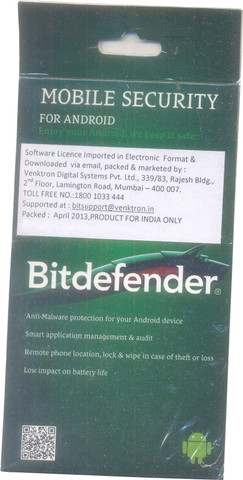
Bitdefender Mobile Security and Antivirus: A Guide for UK Users
Smartphones hold a great deal of personal information, from messages and photographs to banking details and work accounts. Bitdefender Mobile Security is a security app designed to help protect mobile devices from online threats. Its features depend on the device, operating system, app version and subscription, so it is worth checking what is included before you install or renew.
What is Bitdefender Mobile Security?
Bitdefender offers mobile security tools for Android and iOS. On Android, the app can provide protection against malicious apps and other threats, alongside features such as web protection and alerts about potentially unsafe activity. On iOS, traditional antivirus scanning is limited by Apple’s security design, so protection focuses more on areas such as web browsing and account security.
Mobile security apps cannot prevent every scam or attack. They work best as one part of a sensible security routine, alongside keeping your phone updated and taking care with links, downloads and requests for personal information.
Key features to look for
Depending on the platform and plan, Bitdefender Mobile Security may include features such as:
- Threat detection: On supported Android devices, checks can help identify malicious or suspicious apps.
- Web protection: Helps warn you about some dangerous websites while you browse or follow links in supported apps.
- Scam alerts: Certain versions may flag suspicious links or messages. These tools should not be treated as a guarantee that every scam will be detected.
- Account and privacy tools: Some features can help you review whether personal information may have appeared in a known data breach.
- Anti-theft options: Depending on the product and device, tools may help you locate or manage a missing phone.
Feature names and availability can change. Check Bitdefender’s official product information and the app listing for the latest details that apply to your device and region.
Android and iPhone: what is different?
Android allows security apps to inspect certain apps and files more directly, although the exact capabilities depend on the device and Android version. Bitdefender’s Android app may therefore offer a wider range of threat-detection features.
iOS restricts how apps can access other apps and system files. As a result, an iPhone security app cannot work like a traditional antivirus scanner that examines the whole device. Bitdefender’s iOS features are generally focused on helping protect online activity and accounts rather than scanning iOS for viruses in the same way as on Android.
How to install it safely
- Find Bitdefender Mobile Security through the official Apple App Store or Google Play Store, or follow the download instructions on Bitdefender’s official website.
- Check the developer name, reviews and subscription details before installing.
- Review the permissions the app requests and consider whether they make sense for the feature you want to use.
- Keep the app and your phone’s operating system up to date.
- Enable the protection features you need and follow any setup instructions shown in the app.
Avoid downloading security software from unfamiliar links, pop-up adverts or unsolicited messages. Be cautious of anyone who contacts you unexpectedly claiming to be Bitdefender support and asks for remote access, passwords or payment details.
Is Bitdefender Mobile Security worth using?
It may be a useful option for people who want additional security tools on their phone, particularly Android users looking for app and web protection in one place. iPhone users should understand that iOS security apps have different capabilities and do not provide conventional whole-device virus scanning.
Before subscribing, compare the features with your needs and check the price, renewal terms, supported devices and cancellation conditions. You may also want to compare it with the security tools already included with your phone and other services you use.
Good mobile security habits
- Install operating system and app updates promptly.
- Use strong, unique passwords and enable multi-factor authentication where available.
- Download apps only from trusted sources and review their permissions.
- Do not follow unexpected links or share verification codes with anyone.
- Back up important information regularly.
- Use a screen lock and know how to locate or secure your phone if it goes missing.
Bitdefender Mobile Security can add a layer of protection, but it is not a substitute for careful online behaviour or regular updates. For the best results, choose the version suited to your device and use it alongside good security habits.
Bitdefender Mobile Security and Antivirus: 7 Frequently Asked Questions
- Is Bitdefender being discontinued?
- Is Bitdefender Mobile Security worth it?
- Is Bitdefender Mobile Security the same as Bitdefender Antivirus?
- Which antivirus is best for Android mobile?
- Is Bitdefender Mobile Security free?
- What is the most trusted antivirus for Android?
- Is Bitdefender Mobile Security any good?
Is Bitdefender being discontinued?
No, Bitdefender has not announced that its security products as a whole are being discontinued. Bitdefender Mobile Security may vary in availability, features or subscription options depending on your device and region, so check Bitdefender’s official website or the Apple App Store or Google Play Store for the latest information. Be cautious of unofficial messages claiming the product is ending or asking you to renew through an unfamiliar link.
Is Bitdefender Mobile Security worth it?
Bitdefender Mobile Security may be worth it if you want extra protection against malicious apps, risky websites and some online scams, particularly on an Android phone. The features available differ between Android and iOS: iPhones do not support traditional whole-device antivirus scanning, so iOS protection focuses on other security tools. Before subscribing, compare the features with your needs, check the price and renewal terms, and remember that no security app can catch every threat. Keeping your phone updated and being cautious with links and downloads remain essential.
Is Bitdefender Mobile Security the same as Bitdefender Antivirus?
Bitdefender Mobile Security and Bitdefender Antivirus are related products, but they are not necessarily the same. Mobile Security is designed for smartphones and tablets, with features tailored to Android or iOS, while Bitdefender Antivirus usually refers to protection for computers, such as Windows PCs or Macs. The features and level of protection vary by device, product and subscription, so check Bitdefender’s current product details to find the right option for your needs.
Which antivirus is best for Android mobile?
There is no single antivirus that is best for every Android user, as the right choice depends on your needs, budget and device. Bitdefender Mobile Security is one option to consider, with features that may include malicious app detection and web protection, depending on the version and subscription. Compare its current features, independent test results, price and privacy permissions with other reputable apps, and download only from Google Play or the provider’s official website. Keep Android updated too, as an antivirus app is only one part of staying safe.
Is Bitdefender Mobile Security free?
Bitdefender Mobile Security may offer a free version or trial with limited features, while access to the full set of protections usually requires a paid subscription. What’s included can vary by device, location and current offer, so check the official Bitdefender website or your app store listing for up-to-date pricing, trial terms and renewal details before signing up.
What is the most trusted antivirus for Android?
There is no single antivirus that is best for every Android user, but Bitdefender Mobile Security is a well-known option, with features such as app threat detection and web protection. To choose a trusted app, compare recent independent security-test results, check its privacy practices and subscription terms, and download it only from Google Play or the provider’s official website. Keep Android updated too, as no antivirus can guarantee complete protection.
Is Bitdefender Mobile Security any good?
Bitdefender Mobile Security is generally a strong option for adding protection to a smartphone, particularly on Android, where it can help detect malicious apps and warn about some unsafe websites and links. On iPhone, its features are more focused on web and account protection, as iOS does not allow traditional whole-device antivirus scanning. The app’s exact features depend on your device and subscription, and no security app can catch every threat, so it works best alongside regular updates, careful browsing and strong account security.