
Bitdefender Total Security for Mobile: What You Need to Know
Smartphones and tablets hold a great deal of personal information, from emails and photos to banking details and saved passwords. Bitdefender Total Security can extend digital protection to mobile devices, helping users manage security across their computers, phones and tablets with one subscription.
What is Bitdefender Total Security?
Bitdefender Total Security is a multi-device security suite. Depending on the subscription and region, it can cover a set number of devices running supported operating systems, including Android and iOS. Mobile protection is provided through Bitdefender’s dedicated apps, which are installed separately on each device.
The exact features available depend on the type of phone or tablet. Android and iOS handle security differently, so the protections are not identical.
Bitdefender Total Security on Android
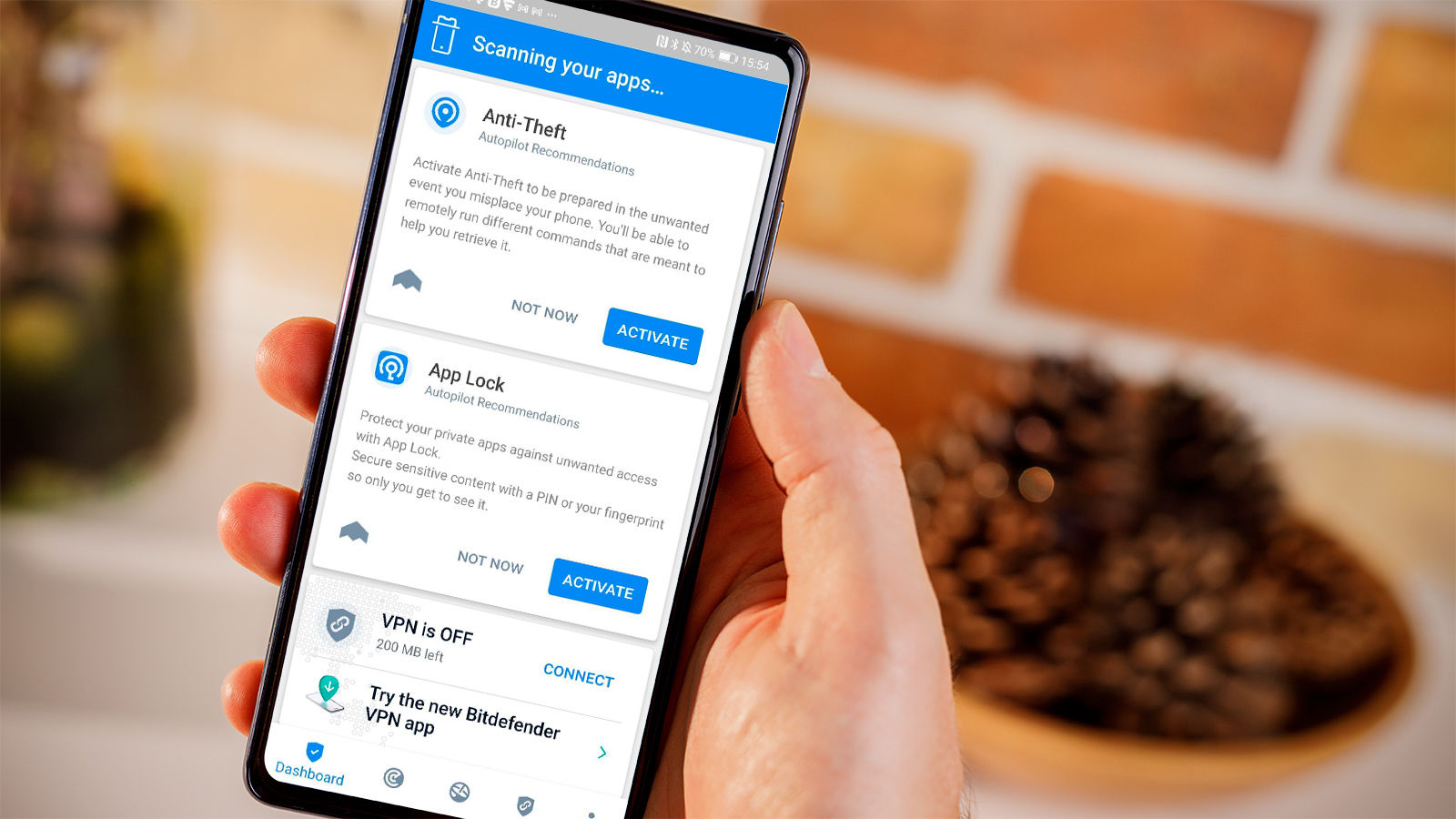
Android’s more open app environment offers flexibility, but it also means that harmful apps and suspicious links can pose a risk. Bitdefender’s Android app may include features such as:
- App scanning: Checks apps for malicious behaviour and potential security risks.
- Web protection: Helps block access to dangerous or fraudulent websites while browsing.
- Scam and fraud alerts: Depending on the app version and settings, may warn about suspicious links or messages.
- Anti-theft tools: Can help locate, lock or take other protective actions on a missing device, subject to the features available and permissions granted.
- Account privacy checks: May help identify whether an email address has appeared in known data breaches.
Some features require permissions to work properly. Reviewing these permissions and keeping the app updated can help ensure the protection operates as intended.
Bitdefender Total Security on iPhone and iPad
iOS restricts how apps interact with one another, so security software cannot scan an iPhone or iPad in the same way it can scan an Android device. Bitdefender’s iOS app focuses on protections suited to Apple’s platform. Depending on the app and subscription, these may include web protection, scam-related alerts, account privacy checks and tools to help protect online activity.
These features complement the security protections built into iOS; they do not replace them. Users should still install iOS updates, use strong passcodes and download apps from trusted sources.
Does the subscription include a VPN?
Bitdefender Total Security may include access to Bitdefender VPN, but the included allowance and available features can vary by plan and location. A separate VPN subscription may be required for unlimited traffic or additional options. Check the current subscription details before relying on the VPN for regular use.
How to get started
- Check that the subscription covers the number and types of devices you want to protect.
- Download the official Bitdefender app from Google Play or Apple’s App Store.
- Sign in with the account associated with the subscription and follow the setup instructions.
- Review requested permissions and enable the protections you want to use.
- Keep the app and your device’s operating system up to date.
Is Bitdefender Total Security suitable for mobile devices?
Bitdefender Total Security can be a convenient option for households that want to manage protection for mobile devices alongside computers under one subscription. Its mobile features differ between Android and iOS, so it is worth checking the current feature list for your device before buying or renewing.
No security app can prevent every threat. Use unique passwords, enable multi-factor authentication where available, be cautious with unexpected links and keep your devices updated for a stronger overall approach to mobile security.
Bitdefender Total Security for Mobile: 7 Frequently Asked Questions
- What are the key differences between Bitdefender Mobile Security and Bitdefender Total Security?
- Is Bitdefender still good in 2026?
- Is Bitdefender Mobile Security included in total security?
- Is Bitdefender Mobile Security any good?
- Is Bitdefender for Android any good?
- Does Bitdefender work on mobile phones?
- Which antivirus is best for mobile?
What are the key differences between Bitdefender Mobile Security and Bitdefender Total Security?
Bitdefender Mobile Security is designed specifically to protect a smartphone or tablet, with features that vary between Android and iOS. Bitdefender Total Security is a broader, multi-device suite that includes mobile protection alongside security tools for supported computers, such as Windows PCs and Macs, under one subscription. The main difference is therefore the range of devices covered and the additional computer-focused features included with Total Security; check the current plan details to confirm device limits and features for your operating system.
Is Bitdefender still good in 2026?
Yes, Bitdefender remains a strong option in 2026 for many people looking to protect mobile devices, particularly Android phones, with features such as app scanning and web protection. The protection available differs between Android and iOS, and no security app can prevent every threat, so it is worth checking the latest independent test results, supported features and subscription terms before choosing it. Keeping your device and apps updated, and being cautious with links and downloads, remains essential whichever security app you use.
Is Bitdefender Mobile Security included in total security?
Yes, Bitdefender Total Security includes protection for compatible mobile devices within the subscription’s device limit. You’ll need to download the relevant Bitdefender app from Google Play or the Apple App Store and sign in with the account linked to your subscription. Features vary between Android and iOS, so check Bitdefender’s current plan details to confirm what’s available for your device.
Is Bitdefender Mobile Security any good?
Bitdefender Mobile Security is generally a good choice for people who want extra protection against harmful apps, phishing links and other online threats, with features varying between Android and iOS. It can be especially useful if you already use Bitdefender Total Security and want to manage protection across several devices. However, mobile features differ by operating system, and no security app can prevent every threat, so it’s still important to keep your device updated and be cautious with links and downloads.
Is Bitdefender for Android any good?
Bitdefender for Android is a well-regarded option for adding protection against malicious apps, unsafe websites and online scams. It also offers useful tools such as security alerts and, depending on the plan and app version, anti-theft features. As with any security app, its effectiveness depends on keeping it updated and allowing the permissions needed for its features to work. It can provide an extra layer of protection, but it should be used alongside sensible habits, such as downloading apps from trusted sources and keeping Android up to date.
Does Bitdefender work on mobile phones?
Yes, Bitdefender offers mobile protection for supported Android phones and iPhones through its dedicated apps, which are included with eligible Bitdefender Total Security subscriptions. Features vary by operating system: Android protection may include app scanning and web security, while iPhone protection focuses on features compatible with iOS, such as web protection and scam alerts. Check the current subscription details and your device’s compatibility before installing.
Which antivirus is best for mobile?
The best antivirus for mobile depends on your device and what you need it to do. For Android, look for features such as app scanning, web protection and scam alerts; on iPhone, security apps work within Apple’s restrictions and focus more on areas such as safer browsing and account privacy. Bitdefender Total Security is one option for protecting supported mobile devices alongside computers, but compare its current features, device limits and price with other reputable products before choosing.