
Cloud Identity Security: Protecting Access in a Connected World
As organisations move applications, data and infrastructure into the cloud, controlling who can access them has become a central part of cybersecurity. Cloud identity security is the set of policies, processes and technologies used to verify identities and manage their access to cloud services. It helps ensure that the right people and systems can reach the right resources, for the right reasons—and that access can be withdrawn when it is no longer needed.
What does cloud identity security cover?
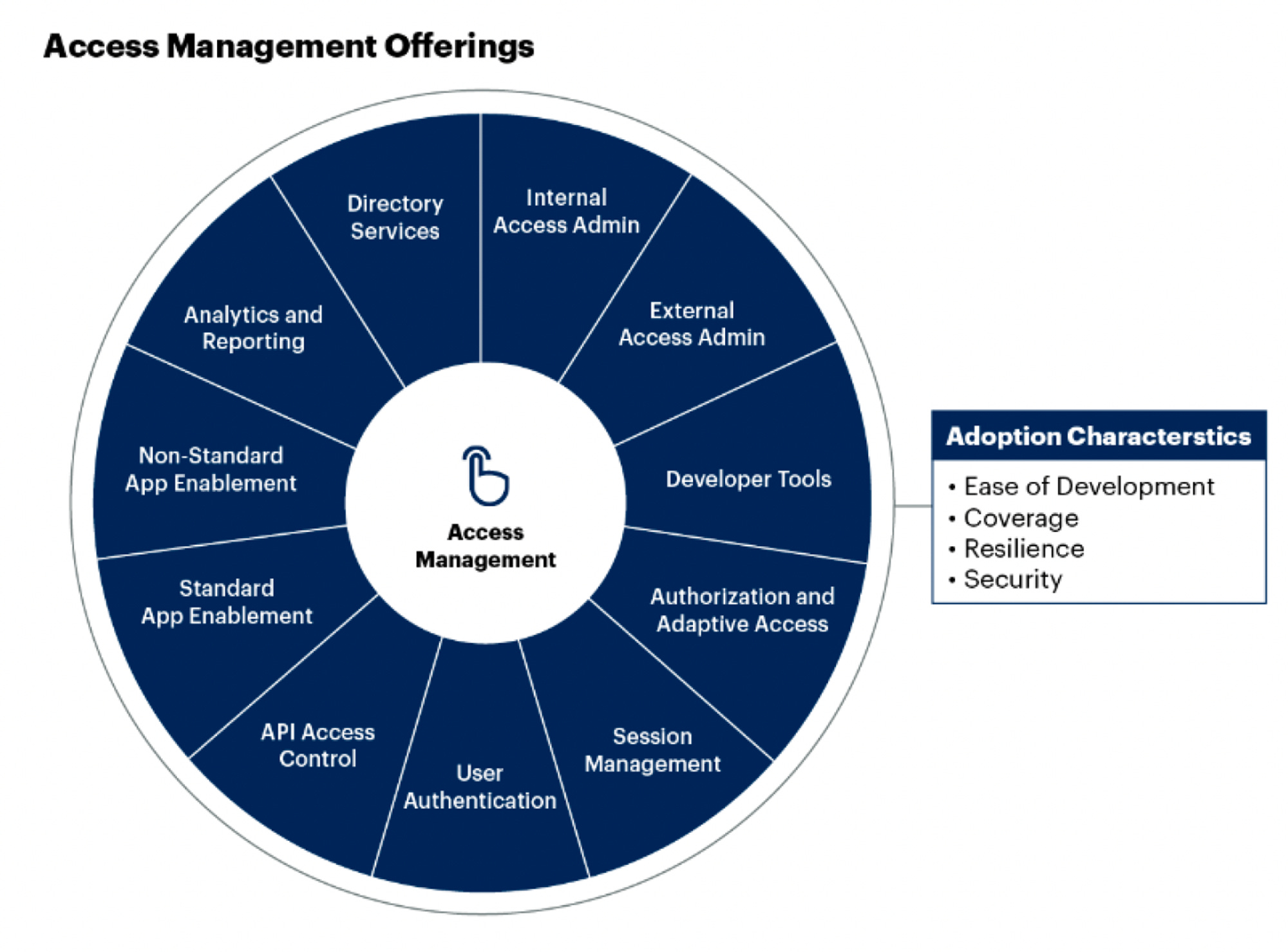
Cloud identity security includes more than usernames and passwords. It can involve employees, contractors, customers, partners and automated services, such as applications that communicate with one another. Key elements include:
- Identity and access management (IAM): tools and processes for creating identities, assigning permissions and managing access.
- Authentication: checking that a user or service is who it claims to be.
- Authorisation: deciding what an authenticated identity is permitted to do.
- Identity lifecycle management: creating, updating and removing accounts as roles and relationships change.
- Monitoring: reviewing sign-ins and activity to identify unusual or potentially harmful behaviour.
Why is it important?
Cloud services can be accessed from many locations and devices, and information may be spread across multiple platforms. This flexibility can make traditional network-based security controls less effective on their own. If an account is compromised or has excessive permissions, an attacker may be able to access sensitive information or use the account to move further into an organisation’s systems.
Strong identity security reduces this risk by making access decisions based on identity, permissions and context. It can also help organisations demonstrate that access to sensitive systems is controlled and reviewed appropriately.
Core practices for securing cloud identities
Use multi-factor authentication
Multi-factor authentication (MFA) requires more than one form of proof before access is granted. For example, a user might provide a password and approve a request using an authenticator app or security key. MFA can make stolen passwords less useful to attackers. Where possible, organisations should prioritise phishing-resistant methods, such as passkeys or hardware security keys, particularly for administrators and other high-risk accounts.
Apply least privilege
Users and services should receive only the permissions needed to perform their tasks. Broad or permanent administrative access increases the potential impact of a compromised account. Role-based access, time-limited elevation and regular permission reviews can help keep privileges proportionate.
Manage accounts throughout their lifecycle
Access should be updated when someone changes role and removed promptly when they leave. The same principle applies to external partners, temporary workers and service accounts. Automating account provisioning and deprovisioning can reduce delays and the risk of forgotten accounts.
Secure non-human identities
Applications, scripts and cloud workloads often use identities of their own. These non-human identities can have significant access, yet may receive less attention than employee accounts. Organisations should inventory them, restrict their permissions, protect credentials and rotate secrets where appropriate. Short-lived credentials and managed identity services can reduce reliance on long-lived keys.
Use single sign-on and federation carefully
Single sign-on (SSO) allows users to access multiple services through a central identity provider. Federation extends this approach across organisations or platforms. Both can improve usability and make access easier to manage, but the identity provider becomes especially important to protect. Strong authentication, careful configuration and robust recovery procedures are essential.
Monitor access and respond to risk
Sign-in records and audit logs can help security teams spot suspicious activity, such as unusual locations, unexpected privilege changes or repeated failed attempts. Monitoring is most useful when it is linked to a clear response process. Depending on the circumstances, this may include challenging a sign-in, revoking sessions, disabling an account or investigating affected resources.
Zero trust and cloud identity
Zero trust is an approach in which access is not granted solely because a user or device is inside a trusted network. Instead, access is evaluated using relevant signals, such as identity, device health, location and the sensitivity of the requested resource. Cloud identity security supports this approach by providing a consistent way to verify identities and apply access policies across services.
Zero trust is not a single product or a guarantee of security. It is a continuing programme that combines identity controls with device security, data protection, network safeguards and ongoing monitoring.
Common challenges
Organisations may struggle with fragmented identity systems, unclear ownership of accounts, excessive permissions or inconsistent policies across cloud providers. Legacy applications can also make modern authentication difficult to implement. A large number of service accounts and credentials can add further complexity.
These challenges are easier to address when organisations maintain an accurate inventory of identities and cloud services, assign clear responsibility for access decisions and prioritise the accounts and resources with the greatest potential impact.
Getting started
- Map identities and services: identify users, administrators, external accounts, applications and cloud workloads.
- Protect high-risk access first: strengthen controls for administrators and accounts that can access sensitive data.
- Review permissions: remove unnecessary access and introduce time limits for elevated privileges.
- Automate routine tasks: connect identity processes to joiners, role changes and leavers.
- Check configurations regularly: test policies, review logs and rehearse account-compromise response plans.
Building security into everyday access
Cloud identity security is an ongoing responsibility, not a one-off configuration exercise. New services, changing roles and evolving threats all affect who needs access and how that access should be protected. By combining strong authentication, least privilege, effective lifecycle management and continuous monitoring, organisations can make cloud access more secure without losing the flexibility that makes cloud services valuable.
Cloud Identity Security: Six Frequently Asked Questions
- What is cloud identity security?
- Why is cloud identity security important?
- How does multi-factor authentication protect cloud accounts?
- What is the principle of least privilege in cloud identity security?
- How can organisations manage and secure non-human identities in the cloud?
- How often should cloud access permissions be reviewed?
What is cloud identity security?
Cloud identity security is the set of tools, policies and processes used to verify users and services and control their access to cloud-based apps, data and systems. It includes measures such as multi-factor authentication, access permissions and ongoing monitoring, helping ensure that only authorised identities can reach the resources they need.
Why is cloud identity security important?
Cloud identity security is important because cloud services can be accessed from different locations, devices and networks, making it essential to verify who is requesting access and what they are allowed to do. Strong identity controls, such as multi-factor authentication and least-privilege permissions, help reduce the risk of stolen accounts, unauthorised access and data breaches. They also make it easier for organisations to manage access as people join, change roles or leave.
How does multi-factor authentication protect cloud accounts?
Multi-factor authentication (MFA) protects cloud accounts by requiring users to prove their identity in more than one way, such as entering a password and approving a sign-in through an authenticator app or security key. This adds an extra barrier if a password is stolen, guessed or reused, making it harder for an unauthorised person to access the account. For stronger protection, organisations should use phishing-resistant options where available and require MFA especially for administrator and other high-risk accounts.
What is the principle of least privilege in cloud identity security?
The principle of least privilege means giving each user, application or service account only the access it needs to perform its specific tasks—and no more. In cloud identity security, this helps limit the damage if an account is compromised or misused. Organisations can apply it by assigning permissions according to roles, reviewing access regularly and granting elevated privileges only when required, ideally for a limited time.
How can organisations manage and secure non-human identities in the cloud?
Organisations can manage and secure non-human identities—such as service accounts, applications, scripts and cloud workloads—by keeping an up-to-date inventory and assigning each identity a clear owner and purpose. Apply least-privilege access, remove unused accounts and avoid shared or hard-coded credentials. Where possible, use managed identities and short-lived credentials rather than long-lived keys, and rotate secrets when needed. Regularly review permissions and activity logs, monitor for unusual behaviour, and include non-human identities in access reviews and incident-response plans.
How often should cloud access permissions be reviewed?
Cloud access permissions should be reviewed regularly—at least every three to six months for standard accounts, and more frequently for privileged, high-risk or externally managed accounts. Reviews should also take place whenever someone changes role, leaves the organisation, or a service or project no longer needs access. A consistent review process helps remove unnecessary permissions, spot dormant accounts and maintain least-privilege access.